Lets3dPrint
1.7 New: one fit for every hole, holes for inserts, nuts and magnets, split to the bed, gears

For people who print at home

Most failed prints are not slicer problems. The lid is too tight, the hole too small, the text too thin, the round edge on the bed droops. Lets3dPrint is CAD that knows these tricks and does them in the design, so the part is right before it reaches the slicer.

macOS 26 or later · Apple silicon · Modelling and the parts library are free; export, Print Check, textures and scripts with Pro

Your nozzlechecked in every wall
Your printerits bed under the model
No accountoffline, files in Finder
$6.99a year for Pro

It goes together

Clearance, built into the tools

A printed hole comes out smaller than you drew it, and two printed parts need a gap to slide. Here the gap is part of the tool: pick a fit from one list, Press to Print-in-place, and every hole, thread and joint uses it, tuned to your printer from one test print.

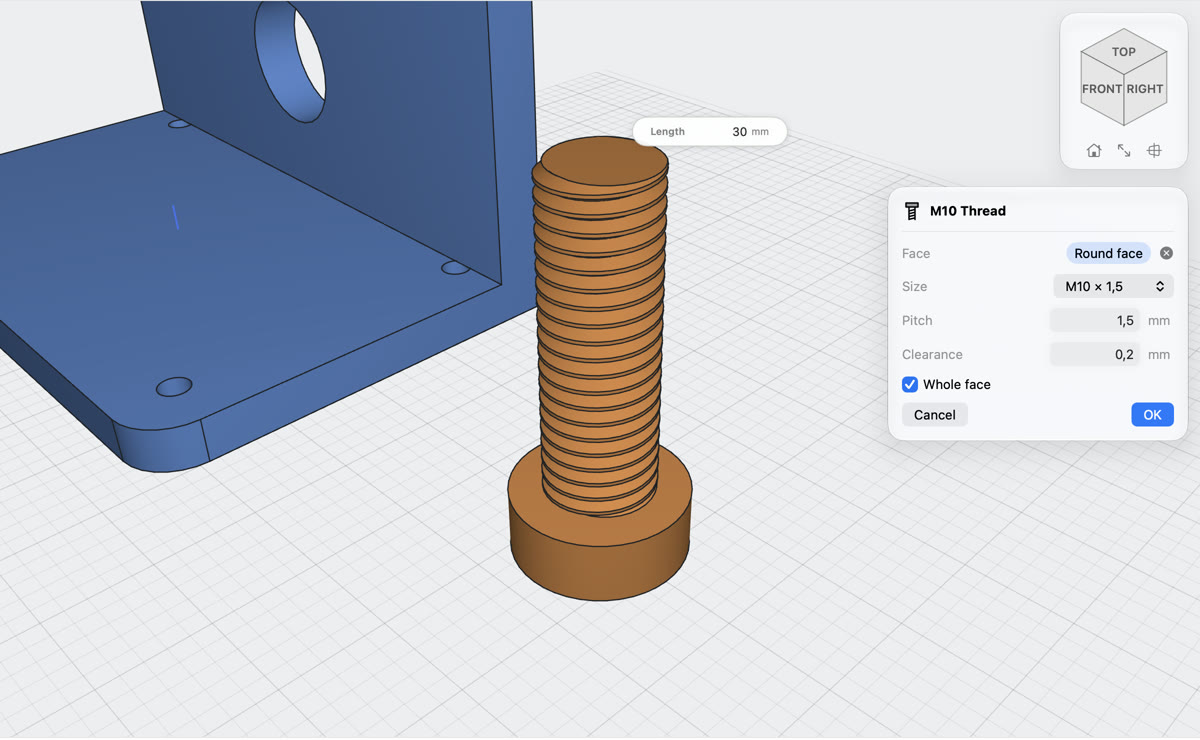
A bolt and a nut with metric threads, the Thread dialog with size and clearance
Thread · free

Threads that actually turn

Click a round face, pick the standard and the size. Metric from M2 to M30, UNC and UNF, pipe G, the soda-bottle thread and mason-jar threads, outside on a rod or inside a hole, with a fit from the list or your own clearance.

  • The size that fits the rod or the hole is picked for you, in each standard
  • Jars, bottle caps, jar lids and a thread fit test in the library already have them
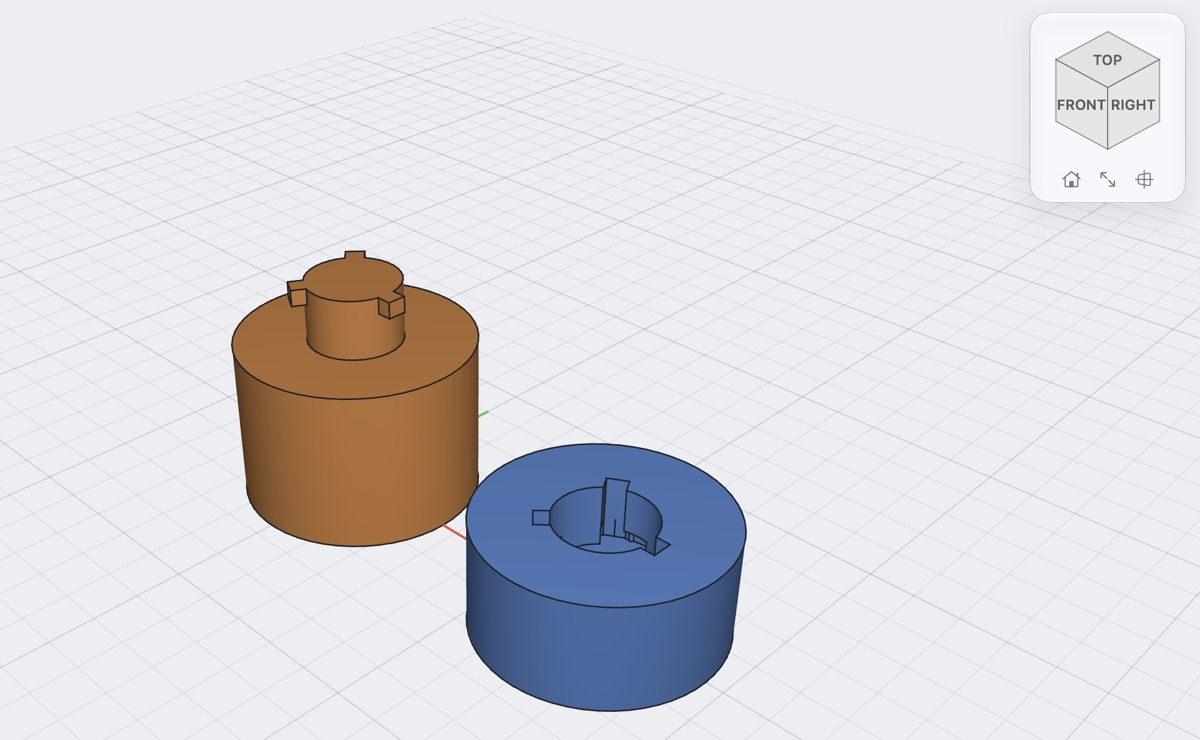
A canister split with a twist lock, the lid turned over to show its socket
Joint Split · Twist lock · free

Pieces that slide together

Split a part along a sketch and the pieces get jigsaw or dovetail locks with the fit cut in. Or split it with a plane and join it again with a lock you push in and turn, or with pins or magnets in the cut faces.

Find your own number

The Fit test in the library prints five holes, each a step looser, and pegs to try in them. Tell the Fit panel which hole the peg first slides into, and every fit in the project moves by that much.

Holes on their side

A sideways hole sags at the top. Pick Teardrop or Flat roof and it prints without support.

Counterbores on the bed

A counterbore that opens downwards gets a one-layer bridge, so the printer has something to lay the screw seat on.

It prints

See the problem before the slicer does

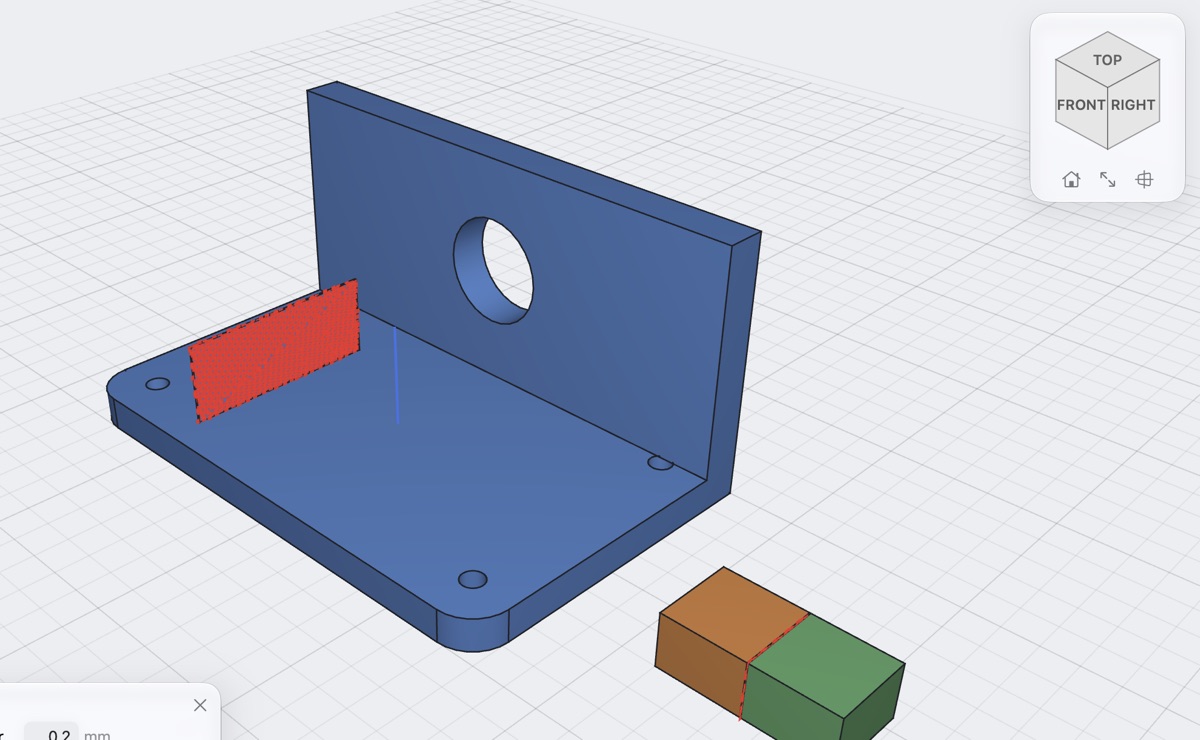
Thin walls, overhangs, a part off the bed, the first layer squeezing out: usually you find them in the layer preview and go back to CAD. Here they show up while you design, on the part itself.

Print Check marking a fin too thin for a 0.4 mm nozzle and a gap too narrow
Print Check

Every wall against your nozzlePro

Set the nozzle and layer height. Walls too thin to print, gaps that will close or fuse, bridges too long, fillets that droop on the bed, text too fine: marked on the model, worst first, with a button that turns the view to each one and, where there is a fix, a button that does it: Thicken, Widen, Make Teardrop, Make Chamfer.

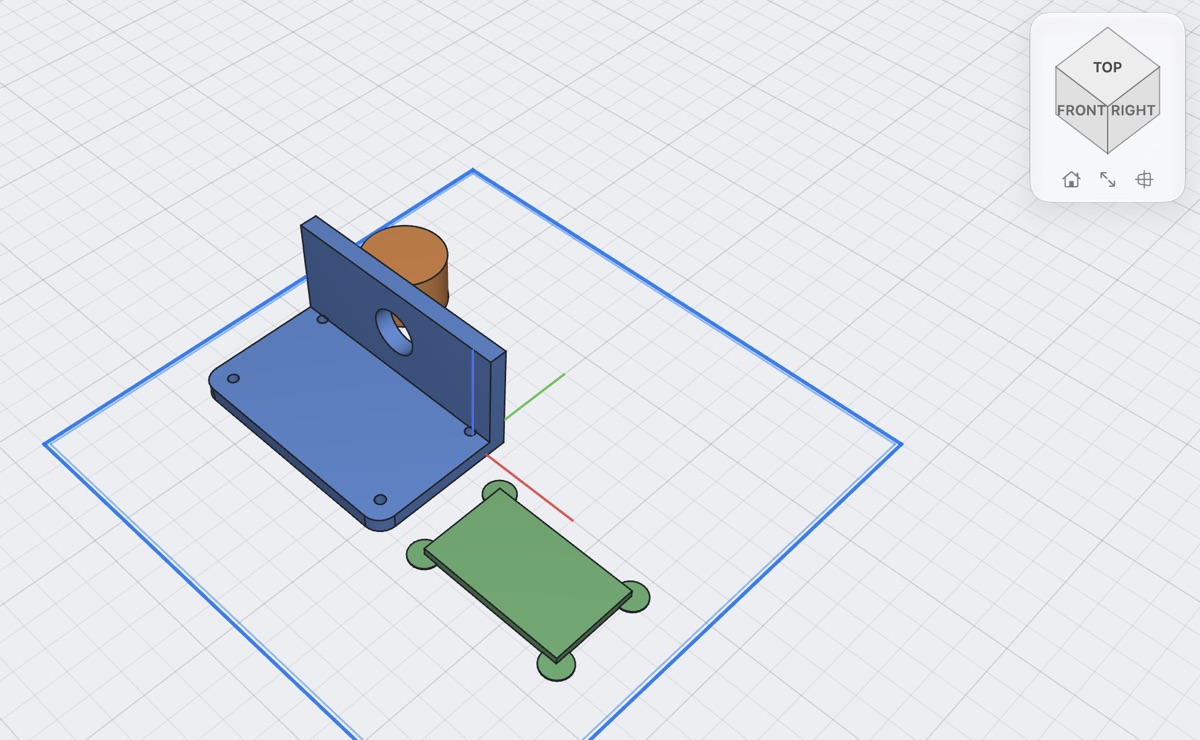
A bracket, a knob and a tag with brim ears arranged on the outline of a printer's bed
Bed · free

Your printer's bed, in the design

Pick your printer (Bambu Lab, Prusa, Creality, Elegoo) and its bed sits under the model, red where a part sticks out. Lay a part on the face you click, arrange everything on the bed.

Overhangs in red

Faces that lean out past 45° (or your own angle) turn red, so you see where support would go.

No elephant's foot

One click chamfers every edge that touches the bed (0.4 mm), against the first layer's squeeze-out.

Corners that stay down

Brim Ears puts thin discs on sharp corners at the bed, so they do not lift. You snap them off after printing.

Weight before you print

Measure gives volume, filament weight and length for PLA, PETG and other materials.

Too big for the bed

Split to Bed cuts it into pieces that fit your printer, with pins or magnets in the cut faces and A1, A2 on the pieces. Or draw the cut lines yourself for jigsaw locks.

Files your slicer likesPro

3MF with every body as its own named, coloured object; STL for any printer; STEP for Bambu Studio, PrusaSlicer and OrcaSlicer.

Downloaded models

Change the STL you downloaded

Most things on Printables and MakerWorld are meshes. Bring one in and it becomes a solid you can work on, with its flat faces as real faces, on your Mac, without an online converter.

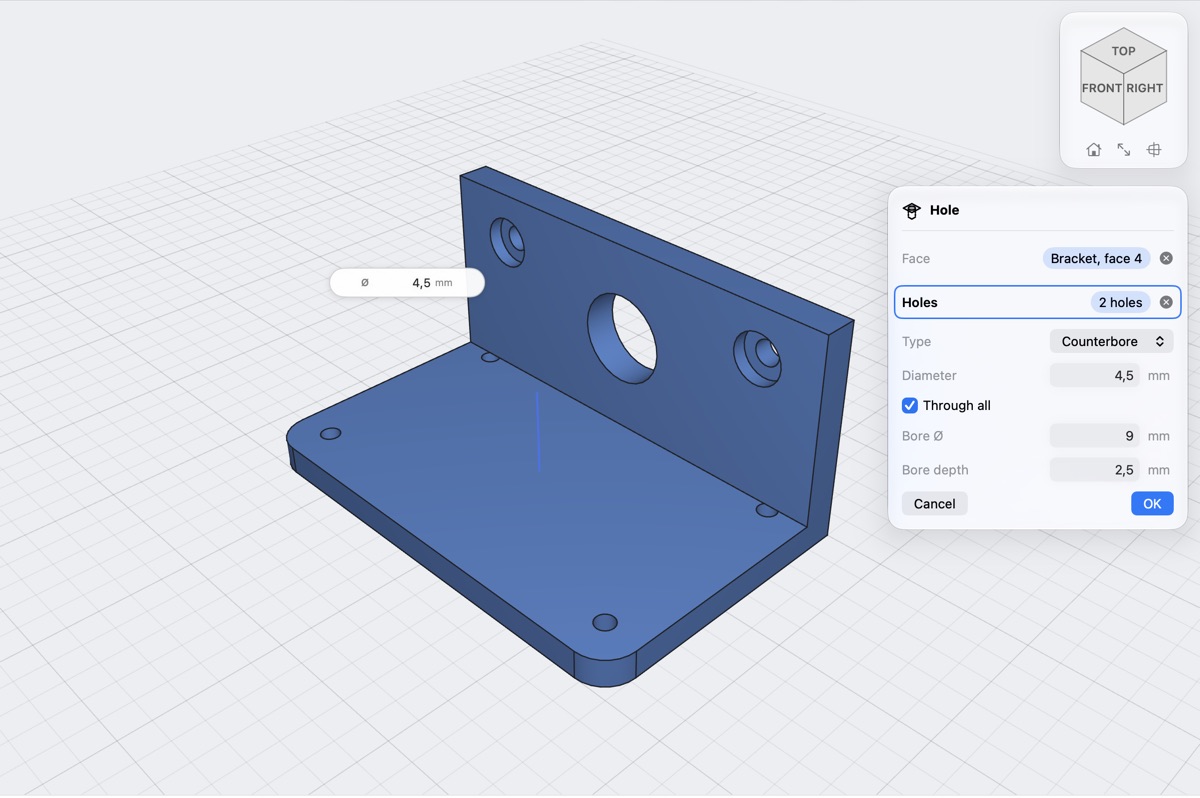
Holes with counterbores placed by clicking on a face
Hole · free

Drill where you click

Click a flat face of the imported part and click where the holes go: simple, counterbore or countersink, through or to a depth, or sized for a heat-set insert, a nut or a magnet.

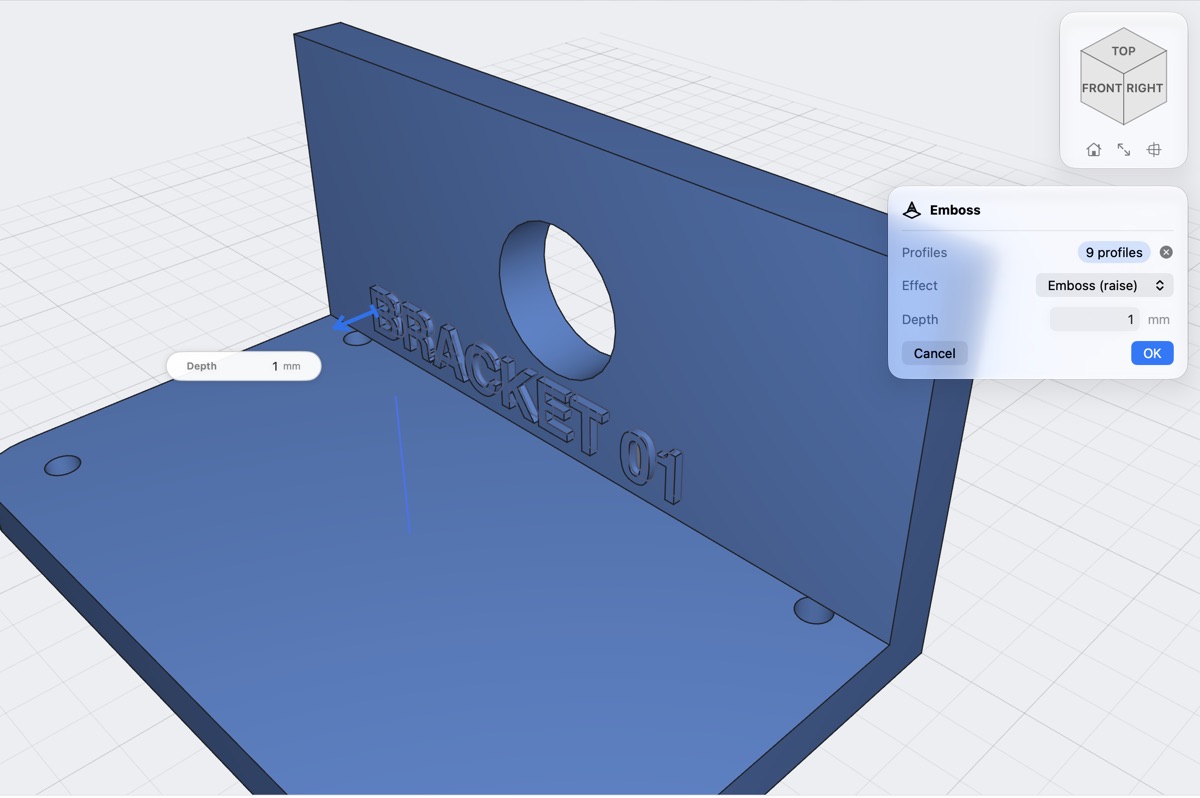
Text raised on a curved face
Emboss · free

Put your name on it

Text and SVG logos raised or sunk into a face, flat or curved, at the depth you type. Inlay fills the letters with a second body for your AMS or MMU, and the text is checked against your nozzle.

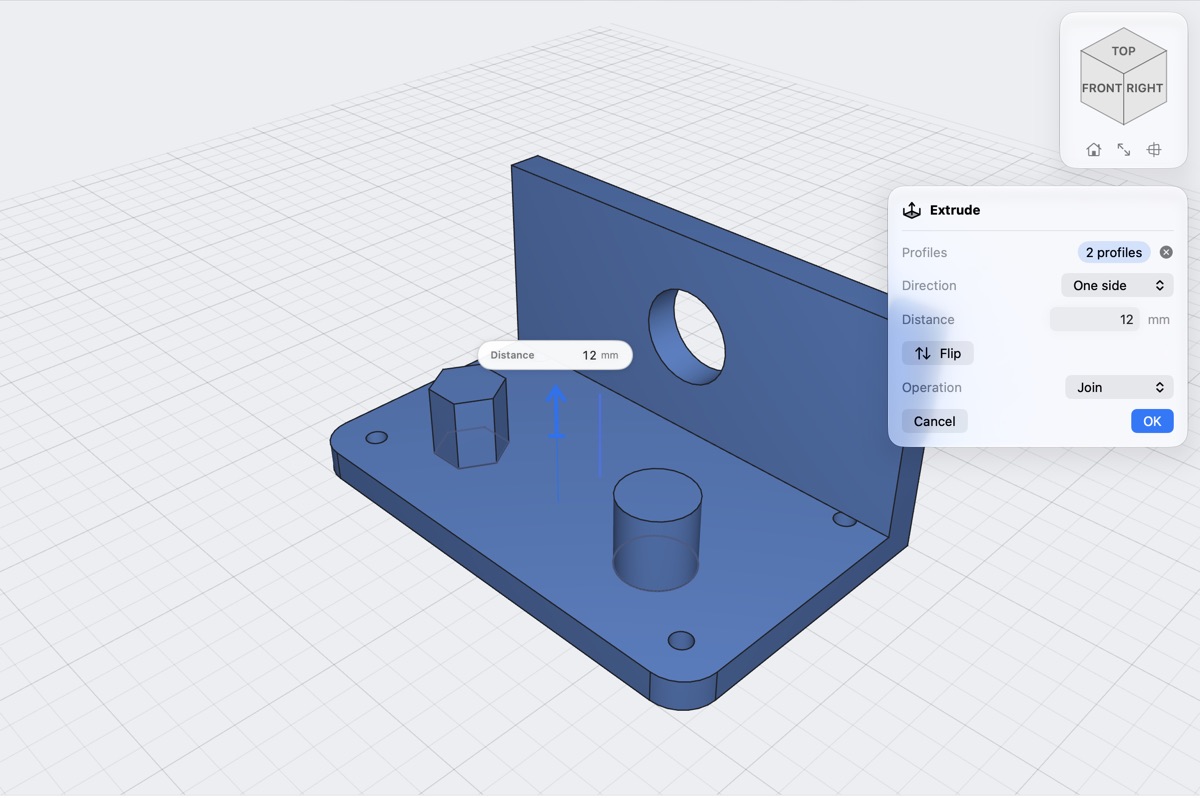
A face being extruded with its arrow and distance box
Extrude · Offset Face · Combine · Split · free

Add, cut, join, push

Extrude a flat face, sketch on it, cut a slot, join a bracket, split it with a plane. Offset Face pushes or pulls any face: a wall thicker, a bracket longer. STEP models open with every part a body, with names and colours.

Functional prints

The parts people print most, ready to change

Boxes, bins, jars, enclosures, hooks: the things generators on the model sites make. Here they arrive as ordinary steps in your timeline, so you can still fillet, cut and label them.

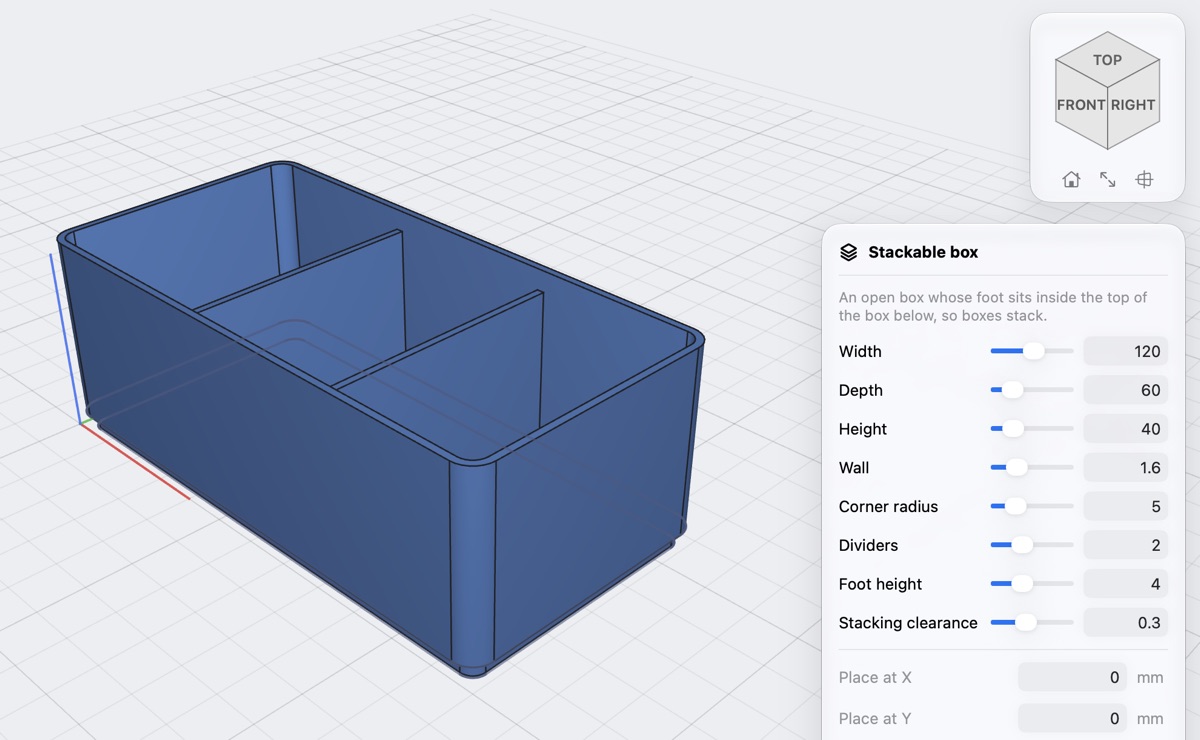
A stackable box with two dividers from the parts library, its values as sliders
Parts library · free

Nineteen parts, values as sliders

Stackable box, drawer tray, Gridfinity-compatible bin and baseplate, screw-top jar, soda-bottle cap, mason-jar lid, board enclosure, snap-fit enclosure, hinged box, hose adapter, spur gear, knob, wall hook, cable comb, plant pot, name tag and two fit tests. Every part shows a picture of itself; set the sizes, press OK, and reopen it later with Edit Library Part.

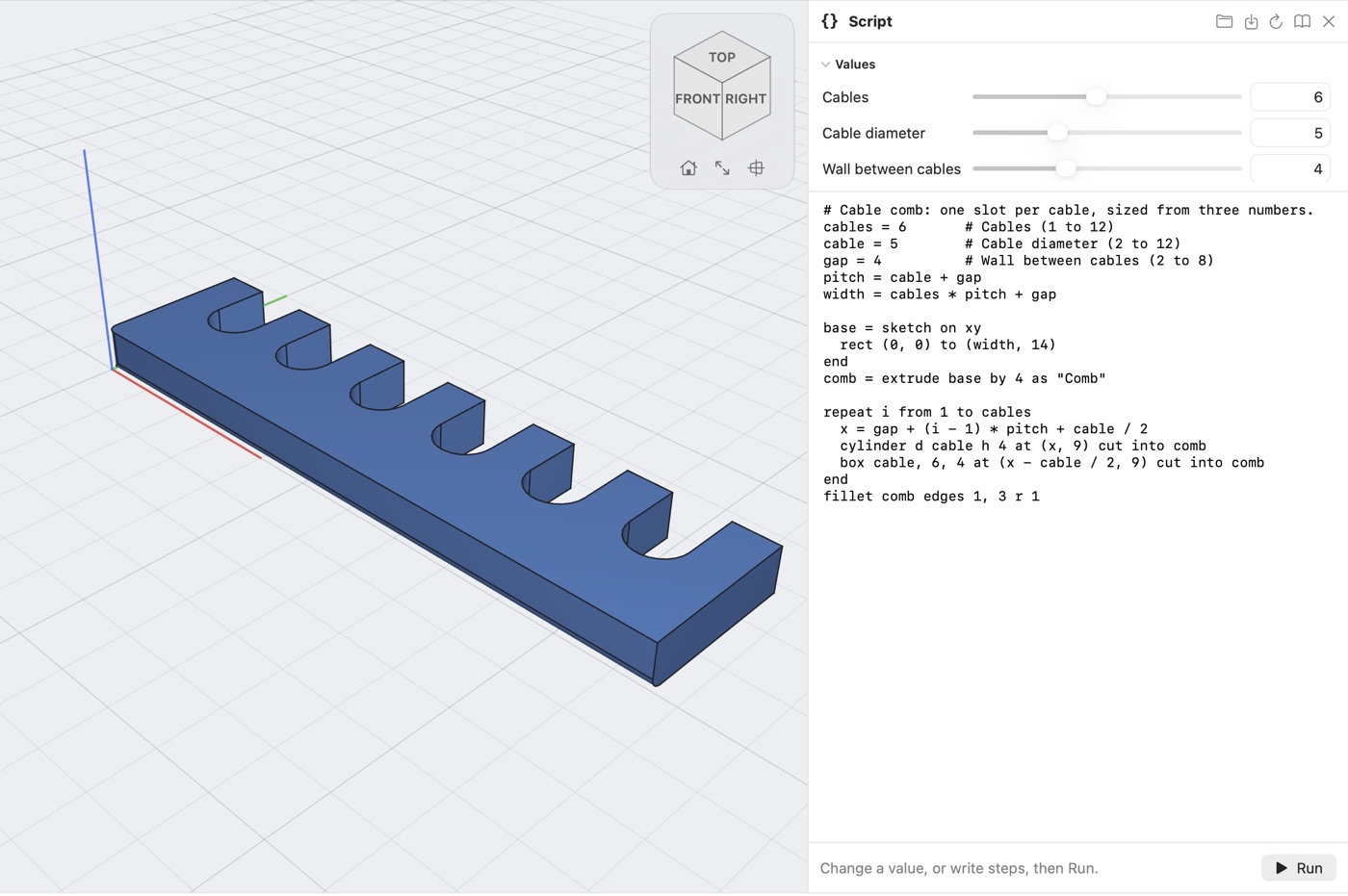
The script panel beside a part, its values as fields and sliders
Scripts

Your own generatorPro

Every project is also a short script. Put a few numbers at the top and they become sliders: six cable slots or ten, one drag. Save it and use it again in any project. Reading a script is free; running one is Pro.

photo on A4 or Letter Gridfinity bin
Photo Outline · Make Bin · free

Photograph your tools, get their bin

Lay them on a sheet of paper and take a photo. The sheet gives the scale, each tool becomes an outline in a sketch at its real size, grown by your fit, and Make Bin cuts a pocket for each one in a Gridfinity-compatible bin with finger notches. All on your Mac; the photo is not kept.

input 1/4 · opposite ×1 · same
Gear System · free

A gearbox from the ratios you type

Generate → Gears: each output's ratio and direction, how many layers, where the input is. The fewest, smallest spur gears that do it come out on a plate with 15 mm pins and your fit, one body per shaft, ready to print, and Play shows them turning. A ring of equal outputs round the inputApp Store only takes a count and one ratio.

Easy to start

Learn it in an evening, come back after a month

You do not have to define a sketch fully before you can use it. Draw rectangles and lines, type the sizes as you go, and change any step later.

Type sizes where you draw

Width, height, distance and angle boxes sit next to the cursor and the arrows. Type a number or a sum like 40/2+3.

Pick, preview, OK

Every tool works the same way: click what it works on, see the result, drag or type, then OK or Cancel. Nothing changes before OK.

Change your mind

Make an early sketch bigger and the whole part rebuilds, holes and fillets included. Suppress or roll back any step.

Forgot where a tool is?

Press ⌘K and type what you want: "hollow", "screw", "warp". The tool starts.

Yours, offline

No account, no cloud, no limit on projects. They are files in Finder and iCloud Drive.

A hobby price

Modelling is free. Pro is $0.99 a month or $6.99 a year, with a free first week.

New in 1.7

It fits the first time, and it fits the bed

One fit list for every hole, thread and joint, your printer's offset from the Fit test, holes sized for heat-set inserts, nuts and magnets, split to the bed with pins and labels, Print Check that fixes, five thread standards, Photo Outline, the Gear System and six new parts. See what is new in 1.7 →

Print it right the first time

Download Lets3dPrint and model as much as you like for free. Go Pro when it is time to print.

Download free

macOS 26 or later · Apple silicon